
Onpage Optimization: Why It Matters
For good search engine findability, the onpage optimization of a website is crucial. It includes all measures that are implemented directly on the website itself to improve its visibility. The following free tools make it easier to get started, especially for beginners in online marketing.
The Basics of Onpage Optimization
Onpage optimization includes title tags, meta descriptions, image optimization, internal linking and page loading time. The aim is to satisfy both visitors and search engines equally.
Google Search Console: A tool of Google itself
The Google Search Console is an indispensable free tool that provides insights into how Google perceives a website and where there is potential for improvement. It shows which search terms users use to get to the page and helps identify and fix indexing issues. The setup is done via a Google account to which the website is linked.
Link: search.google.com/search-console
Screamingfrog SEO Spider: The Classic Website Crawler
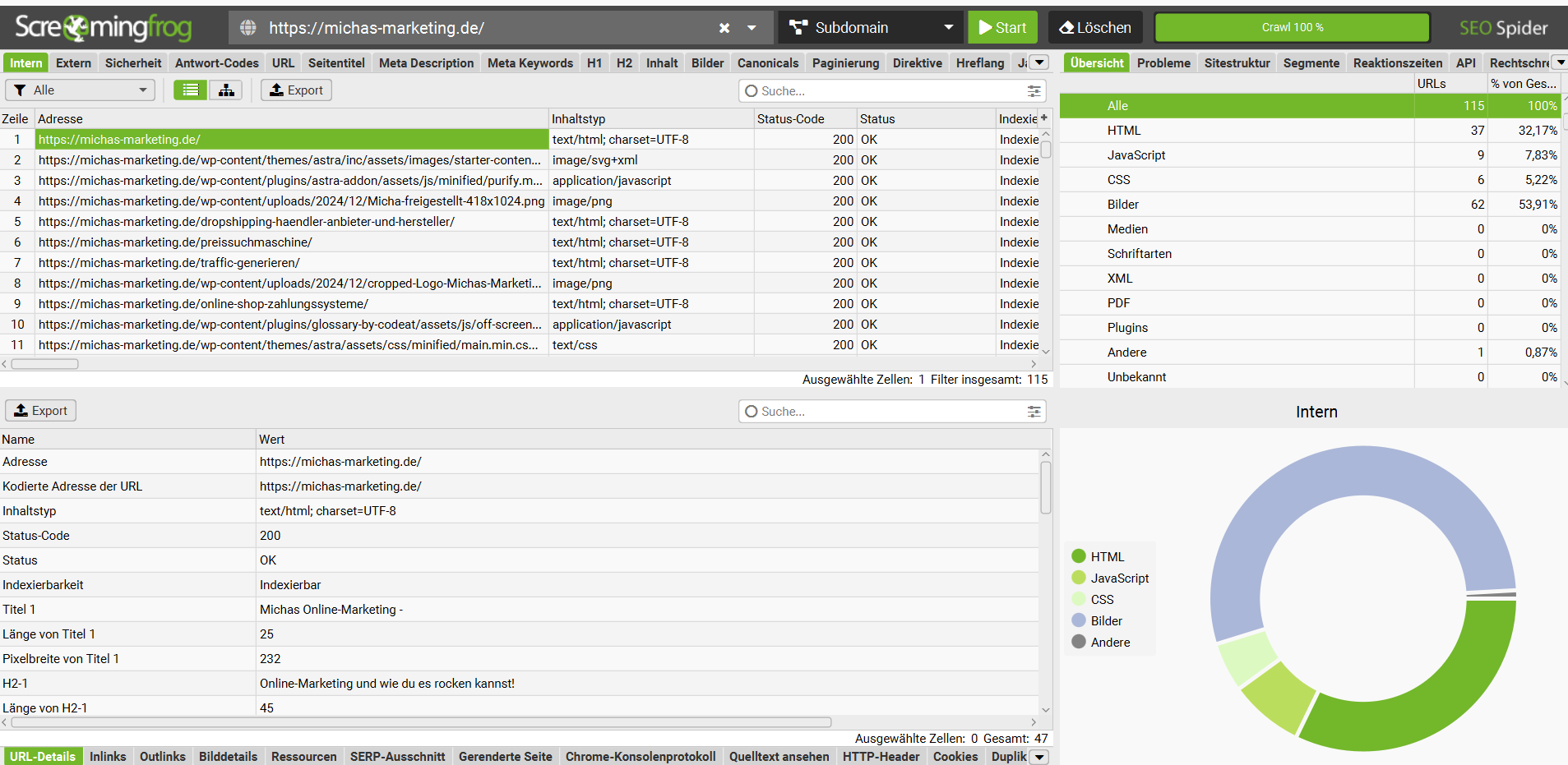
The free version of the Screaming Frog SEO Spider allows you to crawl up to 500 pages of a website and check for technical optimization potential. This allows you to detect broken links, missing meta descriptions or duplicate content. A certain training time is required, but the benefit is correspondingly high.
Link: screamingfrog.co.uk/seo-spider
SEOptimer: The quick look at the website
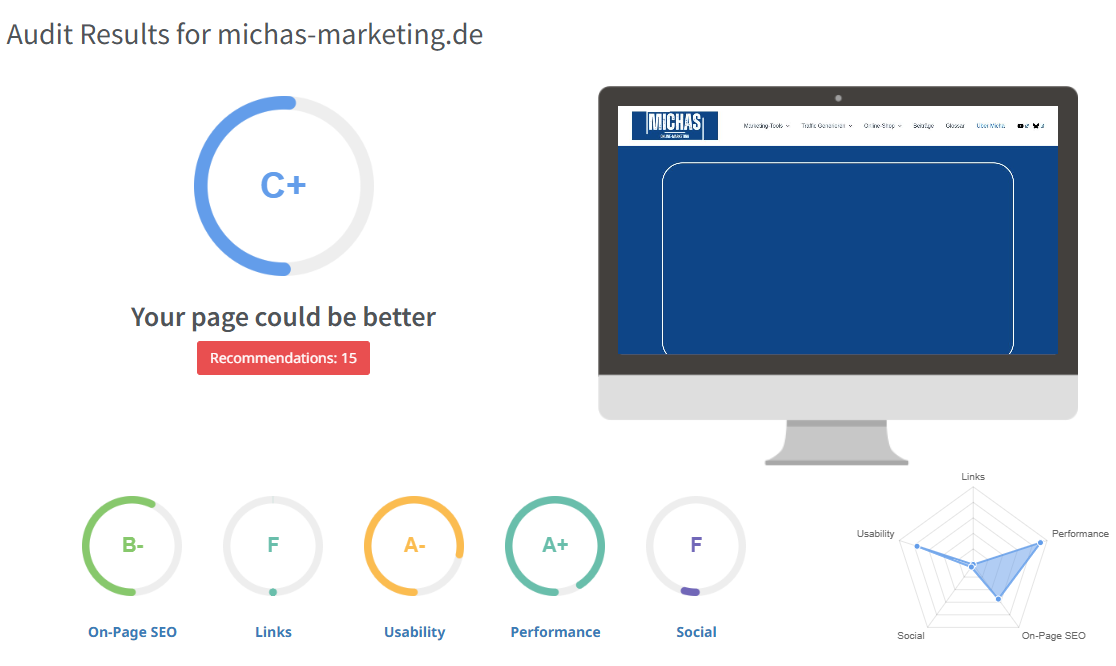
SEOptimer is suitable for a quick and easy overview of the optimization status of a website. The tool analyses the page and provides an evaluation with concrete proposals for action – suitable for everyone who wants to quickly identify the weak points on their page.
Link: www.seoptimer.com/de
Yoast SEO: The WordPress plugin classic
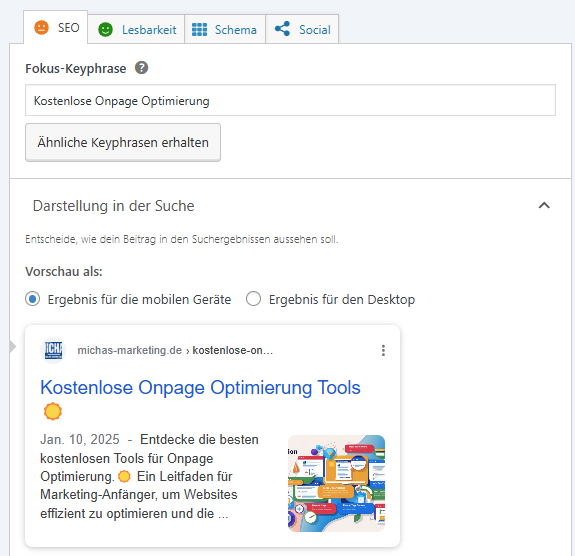
Yoast SEO is the standard plugin for WordPress sites. It supports the creation of optimal SEO titles and meta descriptions and provides additional information on content improvement. The free version already offers an extensive range of functions and is considered an almost indispensable tool for WordPress users.
Link: yoast.com/wordpress/plugins/seo
More free SEO tools
- SEO Tool Collection (tools-search engine optimization.de): Over 200 tools for search engine optimization, not all for free, but a good place to go for more options.
- Google LighthouseChrome extension to quickly analyze a website.
- smart.sistrix.deEstablished SEO tool; the free version works well for smaller projects but offers limited functionality.
- webpagetest.orgChecks the loading speed of a web server.
- brokenlinkcheck.com: Finds broken links on a website.
- openlinkprofiler.org and Seokicks.de: Show which pages link back to your own website.
- Bing WebmasterGoogle Search Console for Bing.
- yougetsignal.com, ip-adress.com and backlinktest.com: Provide information about server neighbors and IP-related information.
Combining tools: using synergies
The tools mentioned cover different areas of onpage optimization and can be combined in a meaningful way. The Google Search Console is suitable for identifying technical problems, other tools for keyword research, and Yoast SEO for implementation in WordPress. The combination allows a website to be comprehensively optimized.
Conclusion: The start of onpage optimization
The free tools presented offer a solid introduction to onpage optimization. Since this is an ongoing process, it is advisable to regularly review and adapt the website based on the knowledge gained.
Related topics
- What is SEO? Basics of Search Engine Optimization
- Meta-titles and Meta description Proper use
- Visibility index tools For ranking observation
- Ahrefs backlinks analysis For offpage optimization