

What is a Cookie Scanner?
A cookie scanner is a tool that identifies and analyzes cookies on a website. It scans the website and determines which types of cookies are used and which data are processed. This is relevant in order to meet legal requirements for data protection, such as the GDPR in the EU. Since cookies can, among other things, collect information about user behavior, transparent information for users is necessary.
Is a cookie notice mandatory?
Yes, in many countries a cookie notice is required by law. According to the General Data Protection Regulation (GDPR), users in Europe must be informed about what information is collected and for what purpose. A cookie notice allows users to give their consent to use certain categories of cookies.
Is a cookie notice mandatory even if no cookies are used?
If a website is actually operated without cookies, a cookie notice is usually not necessary. However, it is recommended to check this closely, as embedded content or third-party plugins often set cookies unnoticed. If a website is completely cookie-free, a correspondingly formulated data protection declaration is sufficient.
Are cookies always used?
Not mandatory. Some websites use only technically necessary cookies for operation, others use a variety of cookies for tracking and analysis. As an operator, it is important to know exactly which cookies are active on your own website. A cookie scanner provides the corresponding information and helps to comply with data protection declaration obligations.
How does the use of a cookie scanner work?
The operation is usually simple: the URL of the website is entered into the tool, the scan starts. Within a few minutes, an overview of all found cookies, their function and origin is available. Some tools also offer automatic cookie policy creation.
Cookie scanner for your own website: tools in comparison
There are numerous cookie scanner tools that differ in functionality, cost and usability.
Cookie script
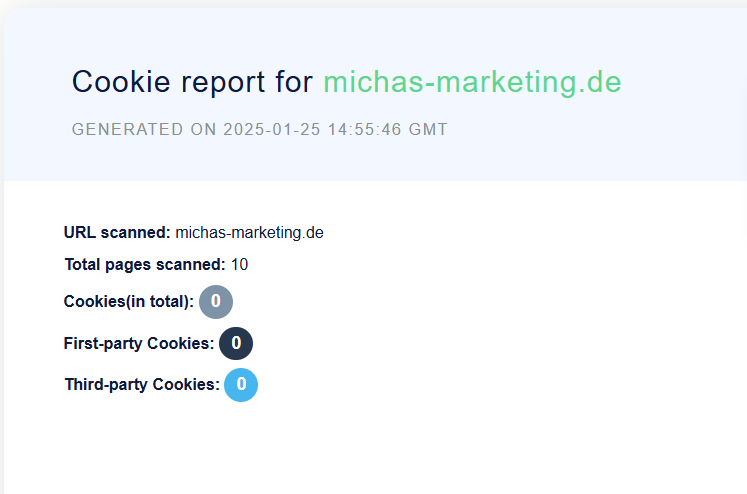
After entering the URL takes over Cookie script The scan of the website automatically. For advanced functions, a paid version is available.
CCM19

The CCM19 Cookie Consent Tool Supports compliance with GDPR and TDDDG requirements. The scan itself is free, further functions are charged.
Ghostery
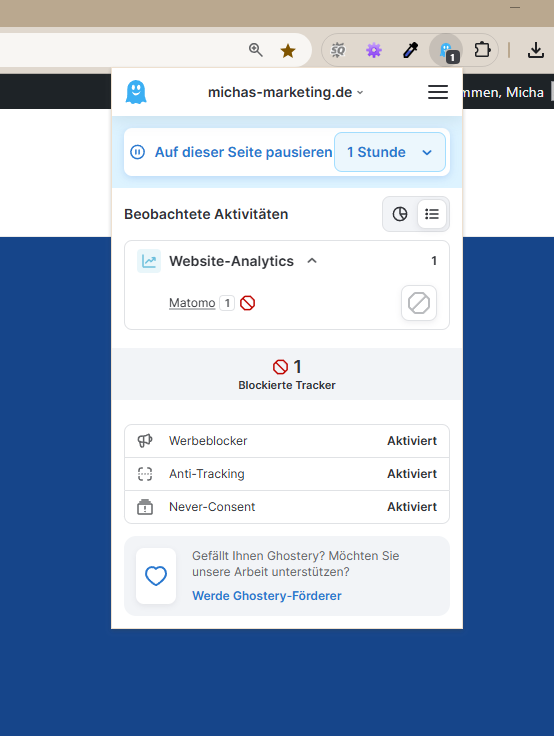
Ghostery is a browser plugin for Chrome and Firefox that shows which trackers and scripts are active on a website. It can also be used to block ads, trackers and popups, which can have a positive effect on loading time.
Each of these tools has different strengths, a comparison is worthwhile depending on individual needs.
Free Cookie Scanner: Does it exist?
Yes, some cookie scanners are free or offer a free trial. These are suitable for testing basic functions and obtaining an initial overview of the cookies used. Paid versions often offer additional features that may be relevant especially for larger websites.
Data Protection and Cookie Scanner
Data protection is not only a legal obligation, but also a trust factor for website visitors. A cookie scanner helps to collect all relevant information about the cookies used and present it transparently in the cookie policy. This supports both compliance with data protection regulations and user trust.
Automatic Cookie Scanner
Automated scanners check regularly and without manual effort whether new cookies have been added or whether existing settings have changed. This facilitates the management of cookie settings and helps to keep your own data protection practice up-to-date.
Cookie Scanner Optimization
In order to derive the greatest possible benefit from a cookie scanner, it is recommended to carry out scans regularly and to update the data protection declaration based on the results. In addition, it should be checked whether third-party tools on the website set cookies so that users are always informed about their use.
A comprehensive understanding of your own cookie situation and the use of a suitable scanner are crucial to comply with legal regulations and to sustainably strengthen user trust.
Related topics
- What are Cookies? – Briefly explained
- reCAPTCHA and alternatives on the protection of forms
- Data protection declaration This website